
Square hardware, recommended and configured
Roots doesn’t sell hardware. We help you decide which Square devices fit your space, you buy them from Square, and we configure them with your printers, scanners and network.Free 30-minute consultation. Review your setup, compare options and leave with clear next steps.
Hardware that works on day one
Device setup
Printers & kitchen display
Scanners & cash drawers
Network check
Counter layout
Mobile payments
Square Hardware Setup in your operation
Hardware selection should follow the work at each station. Roots helps compare Square devices and accessories against countertop checkout, mobile service and self-service ordering. Customers buy the hardware directly from Square; our role is recommendations, configuration, testing and staff training.
Assign each device a job in the working environment
Choose equipment after mapping where checkout and service happen. A counter, mobile employee and self-service station have different needs for screen position, power, connectivity and peripherals. Record the station layout and the staff role using it so the recommendation is tied to a practical job.
Hardware readiness means testing the whole station. Include the payment, receipt, printer or other selected accessory in a realistic transaction. Document the response to a connection problem and identify the person who can change device settings. Staff training should take place on the equipment and account setup they will actually use.
Decisions to make before setup
Draw the checkout layout, identify power and connectivity, and assign each device a job. Test the complete station with the chosen peripherals and a realistic sale before moving every employee to the new setup.
Use the setup discussion to settle checkout layout, device roles, peripherals, power and network connections. Put the decisions into the staff procedure and test transactions, so the configuration can be checked against actual work. Identify which records already exist in your software and which will need to be created, imported or connected during the project.
Reporting and day-to-day review
Focus the review on device readiness, station errors, connection issues and staff confidence. Decide who checks those records, which exceptions require action and where the final totals are reconciled. Keep a payment or order reference attached to every correction so the next employee can understand the history rather than reconstructing it from an amount and a date.
Plan the setup around your business
Prepare a representative transaction and the records your team uses today, including the reports that must match after a payment. Roots uses the free review to define the workflow, the systems involved and the handoffs that need to improve. A concrete transaction is more useful than starting with a list of unrelated features.
Request a quote for the setup or project you need. The scope should identify configuration, migration or development work, staff training and the checks used to confirm readiness. Agree the operating owner for each handoff before launch, then review the first working period against the same cases used in the setup.
Square’s hardware, presented clearly.
Choose the device for how you sell. Square supplies the products; Roots helps you assess fit, configure your setup and train your team.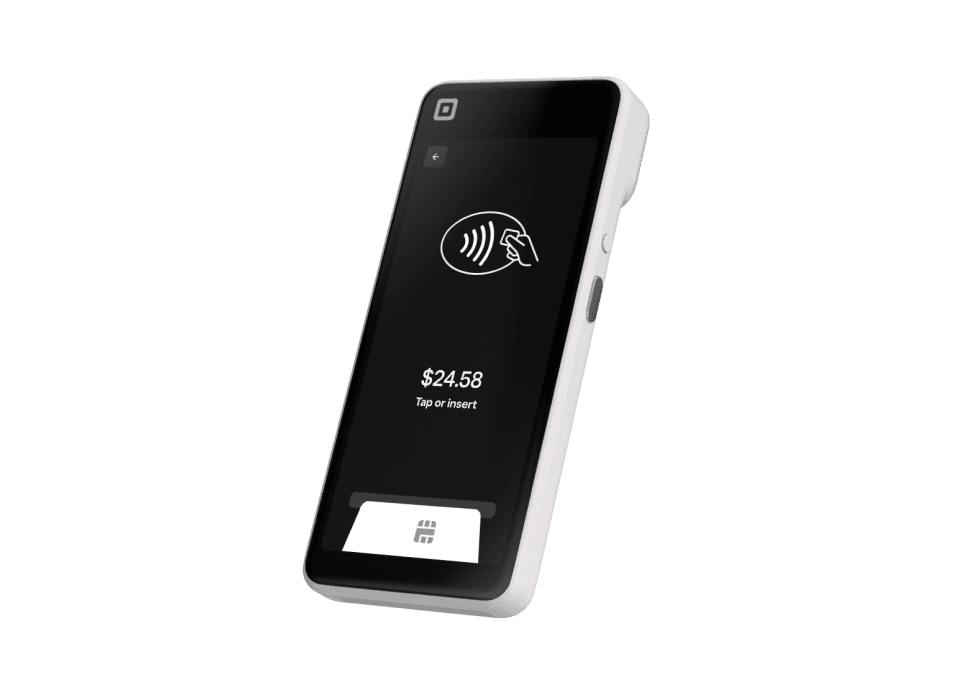
Square Handheld
A pocketable POS for taking orders, accepting payments and managing inventory away from the counter.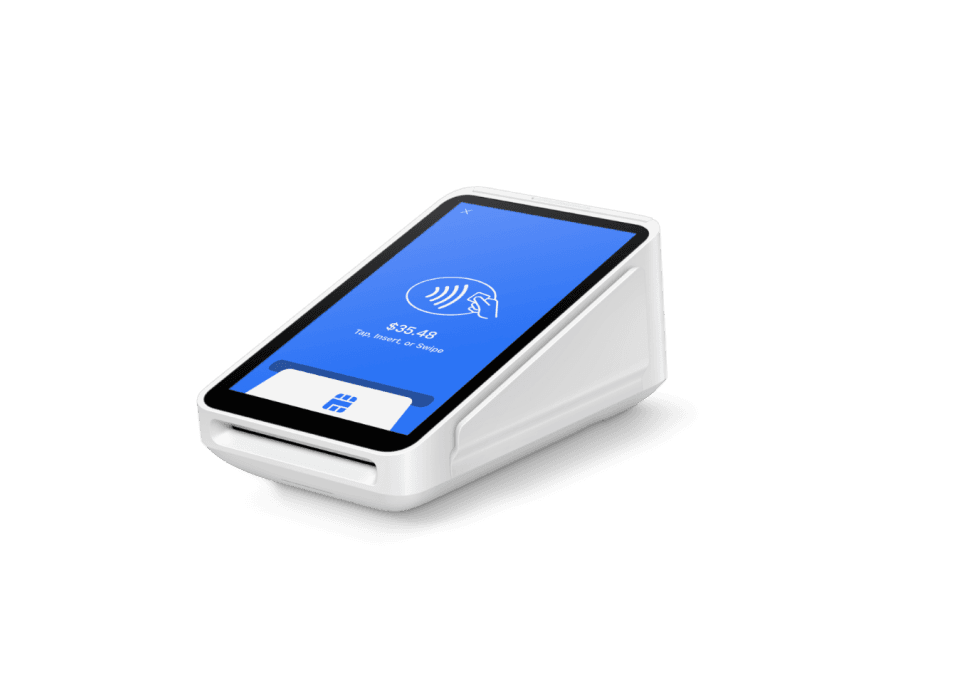
Square Terminal
A compact payment device with a built-in receipt printer for countertop or portable checkout.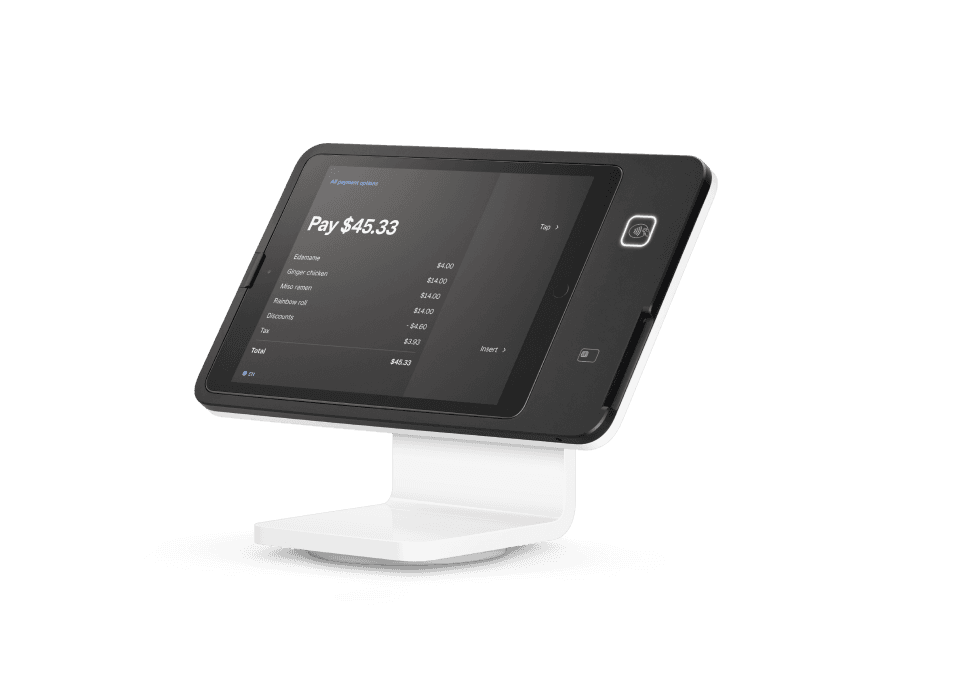
Square Stand
A swiveling iPad POS with payment acceptance built into the stand.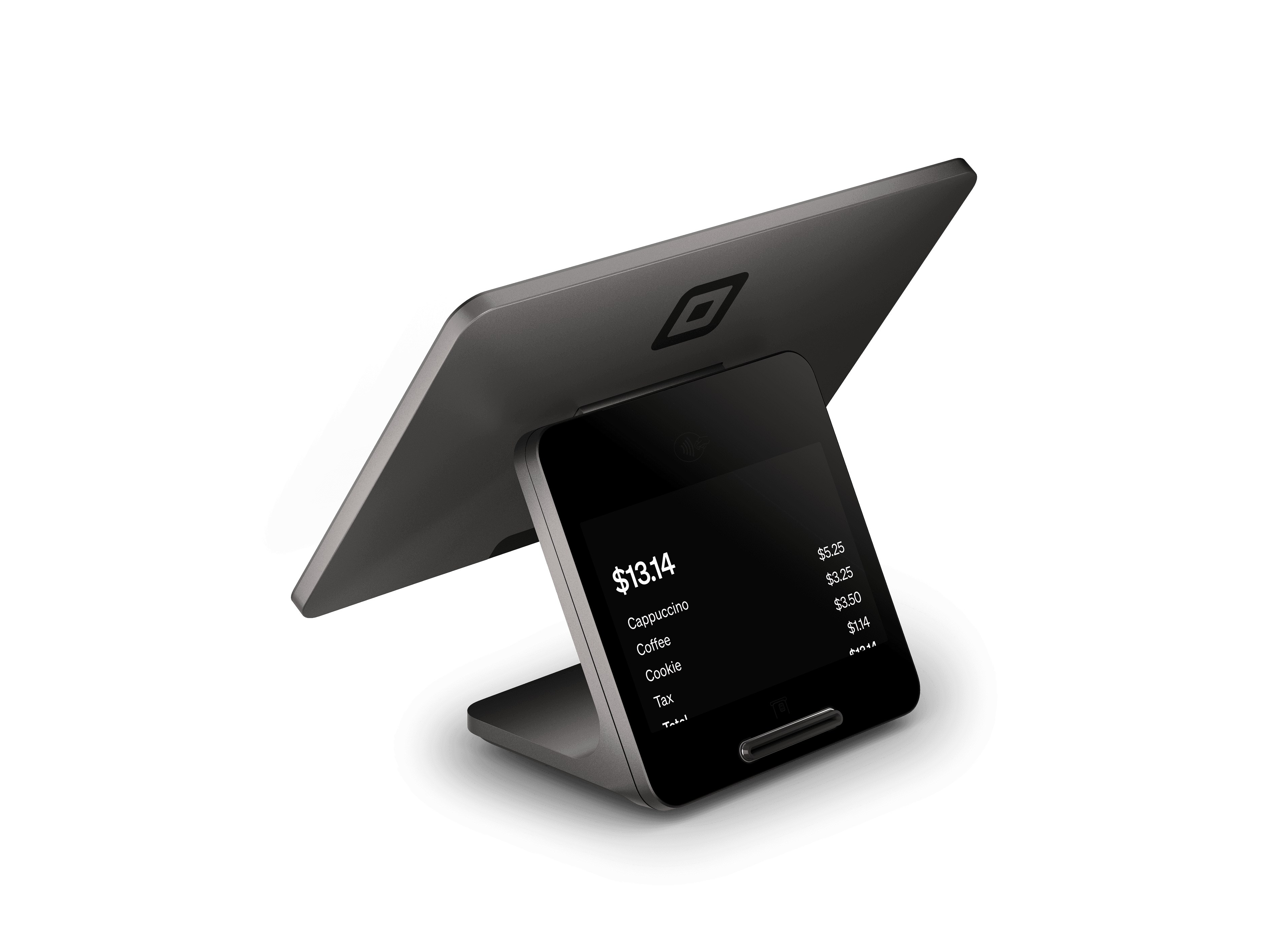
Square Register
A complete countertop POS with separate seller and customer displays.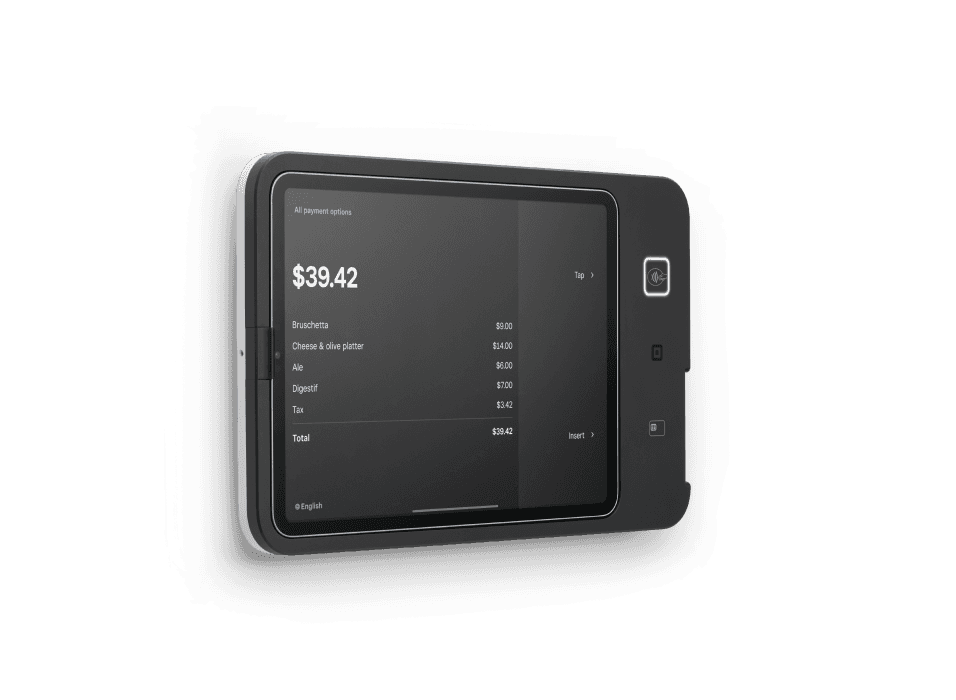
Square Kiosk
Self-service ordering hardware that lets customers select their order and pay at an iPad station.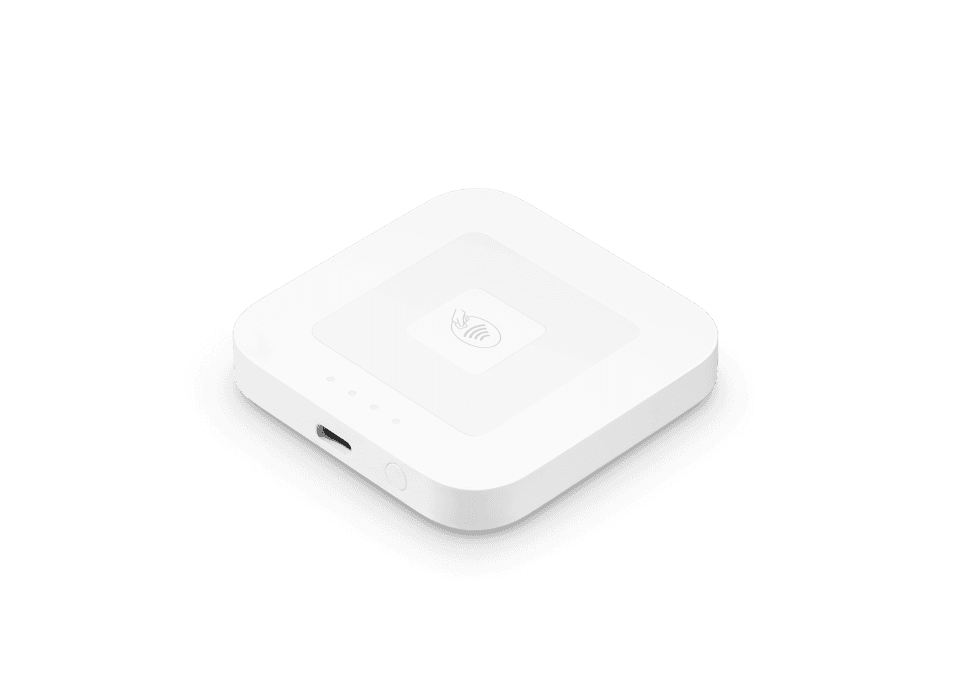
Square Reader for contactless and chip
A compact wireless reader for chip cards, contactless cards and digital wallets.Square Register shown; see Square for bundle contents.Square Register Retail Kit
A Square Register hardware bundle for retail checkout and label printing.Choose your next step with Square
Book Roots setup guidance, sign up directly with Square, or explore the dedicated 4% cash-discount signup option.Roots Payments is an independent Square Reseller. High-risk businesses follow a separate specialized processing path.Square Hardware Setup for your industry
Restaurants
Choose and configure Square checkout equipment for meals, takeout orders and catering, including counter, mobile and staff workflows.Coffee Shops, Cafes & Juice Bars
Choose and configure Square checkout equipment for drinks, pastries and coffee beans, including counter, mobile and staff workflows.Bakeries & Dessert Shops
Choose and configure Square checkout equipment for pastries, cakes and custom dessert orders, including counter, mobile and staff workflows.Bars & Nightlife
Choose and configure Square checkout equipment for bar tabs, cover charges and private events, including counter, mobile and staff workflows.Breweries, Wineries & Distilleries
Choose and configure Square checkout equipment for tasting-room sales, bottles and merchandise, including counter, mobile and staff workflows.Food Trucks & Mobile Vendors
Choose and configure Square checkout equipment for food-truck meals, concessions and market orders, including counter, mobile and staff workflows.Delis, Meal Prep & Prepared Foods
Choose and configure Square checkout equipment for deli meals, meal-prep packages and catering, including counter, mobile and staff workflows.Apparel & Boutiques
Choose and configure Square checkout equipment for clothing, accessories and special orders, including counter, mobile and staff workflows.Shoe Stores
Choose and configure Square checkout equipment for footwear, accessories and special-size orders, including counter, mobile and staff workflows.Jewelry Stores
Choose and configure Square checkout equipment for jewelry purchases, repairs and custom pieces, including counter, mobile and staff workflows.Beauty Supply
Choose and configure Square checkout equipment for cosmetics, salon supplies and beauty products, including counter, mobile and staff workflows.Gift Shops
Choose and configure Square checkout equipment for gifts, souvenirs and personalized items, including counter, mobile and staff workflows.Toy & Hobby Stores
Choose and configure Square checkout equipment for toys, hobby supplies and collectible orders, including counter, mobile and staff workflows.Sporting Goods
Choose and configure Square checkout equipment for sports equipment, uniforms and team orders, including counter, mobile and staff workflows.Bike Shops
Choose and configure Square checkout equipment for bicycles, parts, rentals and repairs, including counter, mobile and staff workflows.Thrift, Resale & Consignment
Choose and configure Square checkout equipment for resale goods, vintage items and consignment purchases, including counter, mobile and staff workflows.Florists
Choose and configure Square checkout equipment for bouquets, arrangements and event flowers, including counter, mobile and staff workflows.Art Galleries
Choose and configure Square checkout equipment for artwork, commissions and framing orders, including counter, mobile and staff workflows.Music Stores
Choose and configure Square checkout equipment for instruments, records, rentals and repairs, including counter, mobile and staff workflows.Bookstores
Choose and configure Square checkout equipment for books, comics and event merchandise, including counter, mobile and staff workflows.Pop-Ups & Market Vendors
Choose and configure Square checkout equipment for pop-up purchases and craft-market orders, including counter, mobile and staff workflows.Farmers Markets
Choose and configure Square checkout equipment for produce, farm goods and market purchases, including counter, mobile and staff workflows.Ecommerce & Omnichannel Retail
Choose and configure Square checkout equipment for online orders, in-store purchases and marketplace sales, including counter, mobile and staff workflows.Grocery & Convenience Stores
Choose and configure Square checkout equipment for groceries, convenience goods and prepared food, including counter, mobile and staff workflows.Tobacco, Cigar & Vape Shops
Choose and configure Square checkout equipment for age-restricted tobacco products and smoking accessories, including counter, mobile and staff workflows.Electronics & Phone Repair
Choose and configure Square checkout equipment for electronics, accessories and device repairs, including counter, mobile and staff workflows.Furniture, Mattress & Home Goods
Choose and configure Square checkout equipment for furniture, mattresses and home goods, including counter, mobile and staff workflows.Hardware Stores & Garden Centers
Choose and configure Square checkout equipment for hardware, plants and garden supplies, including counter, mobile and staff workflows.Pet Stores
Choose and configure Square checkout equipment for pet food, supplies and specialty products, including counter, mobile and staff workflows.Pharmacy & Health Retail
Choose and configure Square checkout equipment for supplements, wellness products and health supplies, including counter, mobile and staff workflows.Office Supply, Print & Ship
Choose and configure Square checkout equipment for office supplies, printing and shipping services, including counter, mobile and staff workflows.Specialty Retail
Choose and configure Square checkout equipment for specialty goods, collectibles and custom orders, including counter, mobile and staff workflows.Hair Salons & Barbershops
Choose and configure Square checkout equipment for haircuts, styling, beauty products and gratuities, including counter, mobile and staff workflows.Skin, Lash, Brow & Tanning
Choose and configure Square checkout equipment for lash, brow, skincare and tanning services, including counter, mobile and staff workflows.Spas & Massage
Choose and configure Square checkout equipment for massage, spa treatments and wellness products, including counter, mobile and staff workflows.Tattoo, Piercing & Body Art
Choose and configure Square checkout equipment for tattoos, piercings and aftercare products, including counter, mobile and staff workflows.Gyms & Fitness
Choose and configure Square checkout equipment for gym access, training sessions and fitness products, including counter, mobile and staff workflows.Wellness & Recovery Centers
Choose and configure Square checkout equipment for recovery sessions, wellness services and products, including counter, mobile and staff workflows.Holistic & Integrative Health
Choose and configure Square checkout equipment for integrative consultations and practitioner services, including counter, mobile and staff workflows.Medical Practices
Choose and configure Square checkout equipment for patient balances, copays and consultation charges, including counter, mobile and staff workflows.Optometry & Eye Care
Choose and configure Square checkout equipment for eye exams, eyewear and optical orders, including counter, mobile and staff workflows.Pharmacies
Choose and configure Square checkout equipment for prescriptions, health supplies and pharmacy purchases, including counter, mobile and staff workflows.Construction & Remodeling Contractors
Choose and configure Square checkout equipment for project deposits, progress invoices and final balances, including counter, mobile and staff workflows.Auto Parts & Accessories
Choose and configure Square checkout equipment for vehicle parts, accessories and trade orders, including counter, mobile and staff workflows.Hotels & Lodging
Choose and configure Square checkout equipment for room deposits, guest stays and hotel services, including counter, mobile and staff workflows.Campgrounds, Marinas & Outdoor Recreation
Choose and configure Square checkout equipment for campsite bookings, marina services and activity rentals, including counter, mobile and staff workflows.Tours & Travel
Choose and configure Square checkout equipment for tour bookings, travel deposits and activity tickets, including counter, mobile and staff workflows.Events & Event Services
Choose and configure Square checkout equipment for venue deposits, event packages and final balances, including counter, mobile and staff workflows.Live Entertainment & Ticketing
Choose and configure Square checkout equipment for tickets, concessions and event merchandise, including counter, mobile and staff workflows.Sports & Recreation
Choose and configure Square checkout equipment for league registrations, facility rentals and concessions, including counter, mobile and staff workflows.Amusement & Attractions
Choose and configure Square checkout equipment for admission tickets, concessions and activity passes, including counter, mobile and staff workflows.Museums, Cinemas & Cultural Attractions
Choose and configure Square checkout equipment for admission tickets, workshops and cultural merchandise, including counter, mobile and staff workflows.Parking
Choose and configure Square checkout equipment for parking sessions, permits and valet services, including counter, mobile and staff workflows.Education & Schools
Choose and configure Square checkout equipment for tuition, course enrollments and school activities, including counter, mobile and staff workflows.Nonprofits & Charities
Choose and configure Square checkout equipment for donations, fundraising sales and program fees, including counter, mobile and staff workflows.Churches & Religious Organizations
Choose and configure Square checkout equipment for donations, event registrations and community programs, including counter, mobile and staff workflows.Manufacturing
Choose and configure Square checkout equipment for production orders, project deposits and trade invoices, including counter, mobile and staff workflows.