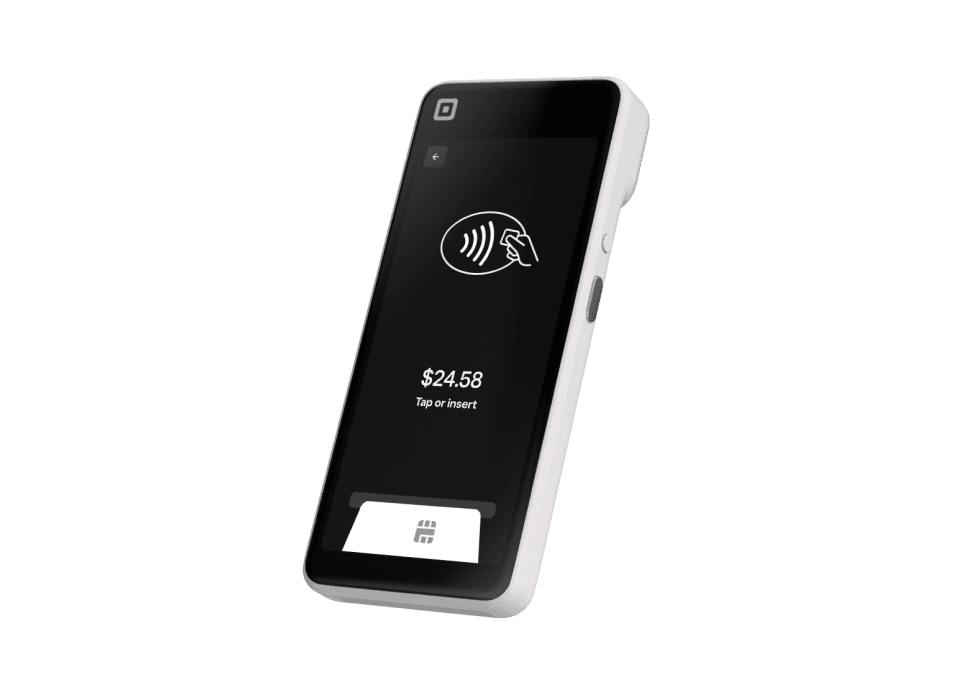
Square Handheld
A pocketable POS for taking orders, accepting payments and managing inventory away from the counter.- Built-in chip and contactless payments
- Integrated barcode scanner and camera
- Tableside ordering and sales-floor checkout
- Receipt and kitchen-ticket printing through a connected network printer
What you’ll need
Wi-Fi is required for connected operation. Receipt printing uses a separate compatible network printer.Buy directly from Square. See current pricing and full specifications on Square’s site.
A mobile POS for tableside service and the sales floor
Start with the work your team needs to do away from a fixed register. A restaurant server might enter an order beside the guest; a retail associate might help a shopper complete a purchase without returning to the front counter. Square Handheld combines order entry and payment acceptance in one portable device. Roots plans the item screens, permissions and handoff between mobile staff and the rest of your operation.A handheld rollout also changes where staff work. Identify the tables, aisles, pickup area and outdoor spaces where you want to use it. That map becomes the basis for reviewing network coverage, charging locations and device assignments.Build the order workflow before adding devices
For restaurants, walk through a complete order: select the item, apply its modifiers, send it to the right preparation station and close the sale. For retailers, start with a product lookup or barcode scan and continue through quantity changes, discounts and the receipt choice. Roots configures your catalog or menu around those steps, then uses representative orders to check that staff can find the items they need.Prepare cases that normally require a manager, such as a refund, an incorrect item or a discount request. Training should explain who can make each change and how to ask for help.Plan printing, charging and your network
Square Handheld prints receipts and kitchen tickets through a compatible network printer rather than a printer inside the device. Decide where a printed ticket should appear and who is responsible for the next step. Roots reviews the printer locations with your counter and kitchen layout, then checks the path from a handheld order to its destination.Choose a charging routine that fits staff shift changes. Assign each device a recognizable name, keep an equipment list and decide where spare supplies belong. These operational details make a mobile POS easier to manage after the initial configuration.Prepare your team for the first mobile shift
Bring your menu or product file, location list and staff roles to a free consultation. Include the busiest moments of your day and the tasks you want staff to perform on the device. Roots uses those details to recommend a hardware mix and scope configuration, training and ongoing support by quote.Practice the normal sale and the exception paths before launch: an unavailable item, a changed order, a refund and an end-of-shift review. Give supervisors a repeatable checklist so a new employee or an additional handheld can be introduced using the same process.Compare Handheld with countertop and compact options
Handheld is worth considering when the device should travel with the employee. Square Terminal is another compact option and includes its own receipt printer. Square Register creates a fixed checkout with separate seller and customer displays. The useful comparison is where an order starts, where the customer pays and where a receipt is needed.You purchase equipment directly from Square. Use its product page for current specifications, accessory choices and pricing. Roots can help compare the options, prepare your account and train your team; the first conversation and payment review are free.Square Handheld questions
A pocketable POS for taking orders, accepting payments and managing inventory away from the counter.
Wi-Fi is required for connected operation. Receipt printing uses a separate compatible network printer.
No. Square Handheld connects over Wi-Fi to a compatible network printer for receipts or kitchen tickets.
Yes. It has an integrated barcode scanner and camera. Roots helps organize the item library and train staff on the sales-floor workflow.
Purchase directly from Square using the View & buy at Square link. Square’s page has current pricing, specifications and the available accessories.
Yes. Roots recommends devices, configures your setup and trains your team. Your consultation is free; request a quote for setup services.