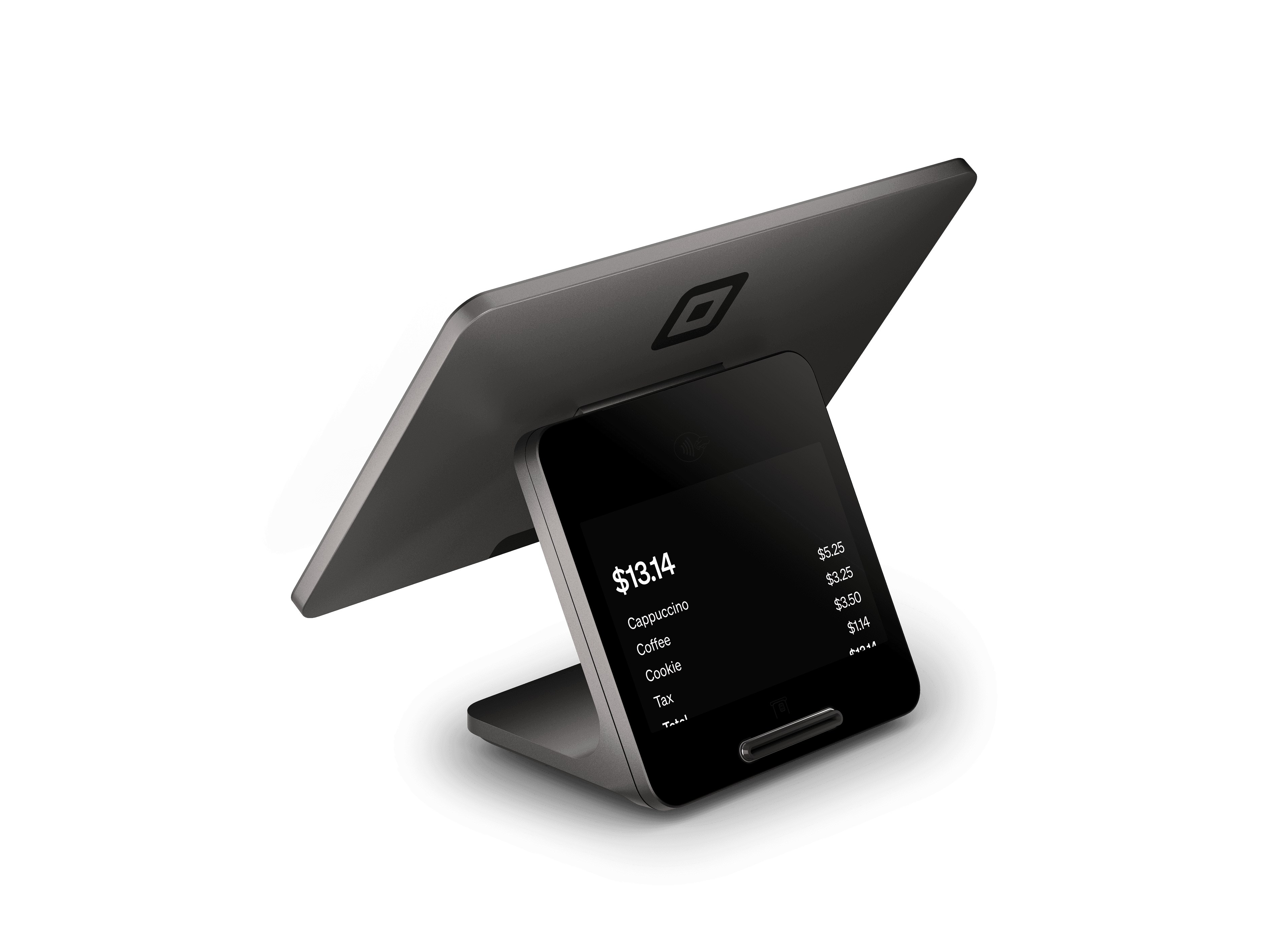
Square Register Retail Kit
A Square Register hardware bundle for retail checkout and label printing.- Square Register countertop POS
- No separate tablet needed
- Retail label-printing setup
- Bundle options selected directly in Square’s hardware shop
What you’ll need
Review the selected bundle contents and accessory options in Square’s U.S. hardware shop before purchasing.Square Register shown; see Square for bundle contents.Buy directly from Square. See current pricing and full specifications on Square’s site.
Plan a retail station as a complete equipment project
Square lists a Register Retail Kit for retailers building a countertop checkout and label-printing setup. Treat the kit as the start of an equipment plan: identify the products you sell, how barcodes are created and where checkout happens. Roots reviews those tasks with your store layout and catalog before recommending the hardware configuration.Your shopping list should match the exact kit selected in Square’s store. Review its contents and any additional accessories alongside the stations you need, so each piece of equipment has a clear purpose.Make labels, SKUs and product variations consistent
A label-printing workflow starts with organized product data. Prepare a catalog with names, variations, SKUs, barcodes and the information your staff need when receiving or selling stock. Roots reviews the file and scopes the cleanup and import work with you. Decide how labels should distinguish sizes, colors or other variations before setting up the printer.Practice receiving a product, locating it in the item library and using it in checkout. This connects the back-office labeling task to the customer-facing sale and helps the team recognize data problems before opening.Connect counter equipment with inventory routines
A retail POS station supports several people and tasks: the cashier taking payments, the employee labeling new stock and the manager reviewing the day. Roots plans permissions and equipment access around those roles. Include return handling, price corrections and stock questions in the configuration discussion.Think about where labels are printed and where products are unpacked. Keeping that work organized can make the front counter easier to use. If you operate several stores, list the equipment and catalog responsibilities for each location rather than assuming every station needs the same arrangement.Prepare a practical store launch checklist
Bring your catalog export, store count, checkout station count and current accessory models to a free consultation. Roots uses those details to recommend equipment and scope setup, training and support by quote. Include the workflows that cause the most rework today, such as mismatched labels, hard-to-find variations or unclear refund permissions.Training follows the retail day: prepare the station, scan or locate a product, complete the sale, handle an approved return and review totals. Staff who receive stock should also practice the labeling process. Assign ownership of ongoing catalog changes so new products follow the agreed structure.Compare a bundle with individually selected devices
A kit is useful to review when you are building a new station from the ground up. An existing retailer may already have equipment worth checking before replacing it. Compare the exact Square bundle contents with your current station, then identify what needs to be added or configured. A Handheld may also serve associates on the sales floor alongside a fixed Register.Purchase the selected kit directly from Square and use its current listing for included equipment and pricing. The image on this page shows Square Register; consult the shop for the complete bundle. Roots recommends and configures your setup and trains your team.Square Register Retail Kit questions
A Square Register hardware bundle for retail checkout and label printing.
Review the selected bundle contents and accessory options in Square’s U.S. hardware shop before purchasing.
Square lists the Register Retail Kit as a no-tablet-needed bundle. Review the current kit contents in Square’s hardware shop before purchasing.
Yes. Roots reviews products, variations, SKUs and the label workflow, then scopes catalog preparation, configuration and staff training by quote.
Purchase directly from Square using the View & buy at Square link. Square’s page has current pricing, specifications and the available accessories.
Yes. Roots recommends devices, configures your setup and trains your team. Your consultation is free; request a quote for setup services.