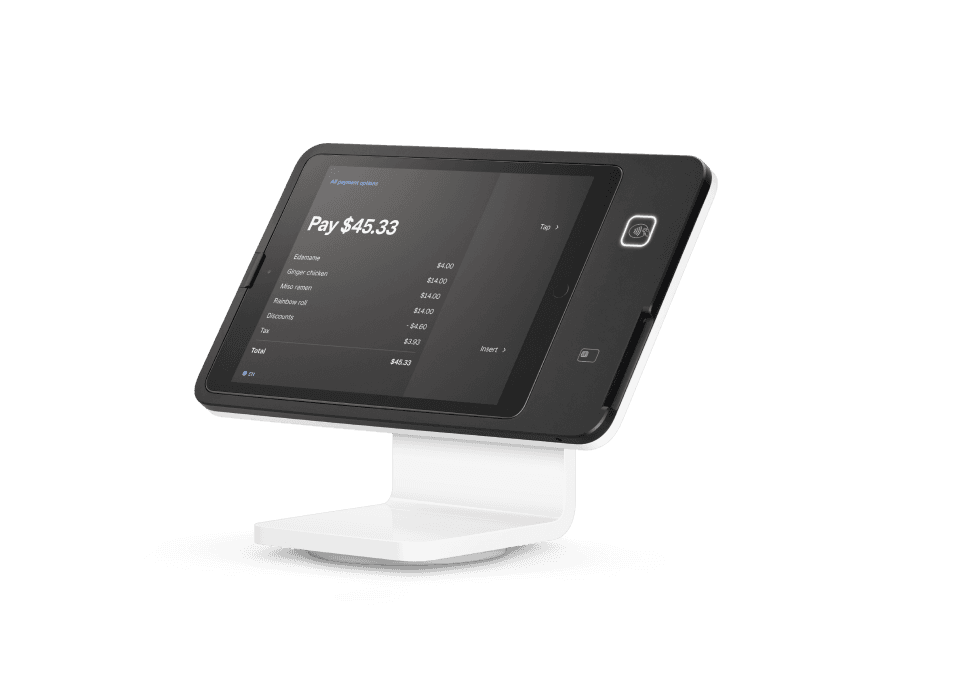
Square Stand
A swiveling iPad POS with payment acceptance built into the stand.- Built-in chip and contactless payments
- Swivels toward the customer for payment and tipping
- Works with Square POS apps
- Connects supported accessories through the included USB hub
What you’ll need
A compatible iPad is required and sold separately. Choose the Stand model for your iPad connection.Buy directly from Square. See current pricing and full specifications on Square’s site.
An iPad checkout station that turns toward the customer
Square Stand is an option for businesses that prefer an iPad-based counter setup. Staff use the screen to build the sale, then swivel the stand toward the customer for the payment interaction. Roots helps organize the item screens, payment settings and staff access around that handoff. The goal is a checkout that feels natural for both the person taking the order and the customer completing it.Review the available counter space, the direction of the queue and the location of bags, merchandise or pickup orders when deciding where the stand belongs.Check the iPad before building your shopping list
A compatible iPad is required and is purchased separately. Start with the exact model you own or plan to buy, then use Square’s current compatibility information to match it to the stand. Roots reviews the device list before configuration so the tablet, stand and selected software are planned together.Record who manages the iPad, keeps its software current and controls account access. If the tablet has been used elsewhere in the business, prepare it for its checkout role. A clear equipment owner and consistent device naming help keep the setup organized.Connect the accessories your business actually uses
Square Stand includes a USB hub for supported accessories. A retail station may need a barcode scanner, receipt printer and cash drawer; a food-service counter may need ticket printing and a clearly defined preparation handoff. Roots reviews your tasks and equipment models, then tests the selected accessories as part of the checkout workflow.Plan cables and consumables before installation. Staff should be able to replace receipt paper, identify the right printer and recognize where an order should appear. Training these small tasks helps prevent avoidable confusion during a busy sale.Make the iPad POS reflect your menu or catalog
A stand does not decide how your business sells. Your item library, product variants, modifiers, tax rules and staff permissions provide that structure. Bring a menu or catalog export and describe the orders you take most often. Roots scopes the setup, cleans up the agreed data and configures the screen flow with your team.Before launch, practice a normal order, a price correction, a return or refund and the closing review. Include managers as well as cashiers so the permission settings and escalation process are familiar. Your consultation is free; request a quote for configuration, training and support.Choose between Stand, Register and Kiosk
Stand is useful when you want an iPad counter station with a swivel payment handoff. Register provides a dedicated dual-screen arrangement without a separate tablet. Kiosk is worth reviewing for self-service ordering and different mounting positions. Think through whether an employee or the customer should enter the order before selecting the hardware.Purchase Square hardware directly from Square. Its current product page explains compatible iPads, accessory options and pricing. Roots can help compare the formats and create a device plan that includes the full checkout station.Square Stand questions
A swiveling iPad POS with payment acceptance built into the stand.
A compatible iPad is required and sold separately. Choose the Stand model for your iPad connection.
No. Square Stand requires a compatible iPad, purchased separately. Check Square’s current supported-model list before ordering.
The stand swivels toward the customer and has integrated chip and contactless payment acceptance.
Purchase directly from Square using the View & buy at Square link. Square’s page has current pricing, specifications and the available accessories.
Yes. Roots recommends devices, configures your setup and trains your team. Your consultation is free; request a quote for setup services.