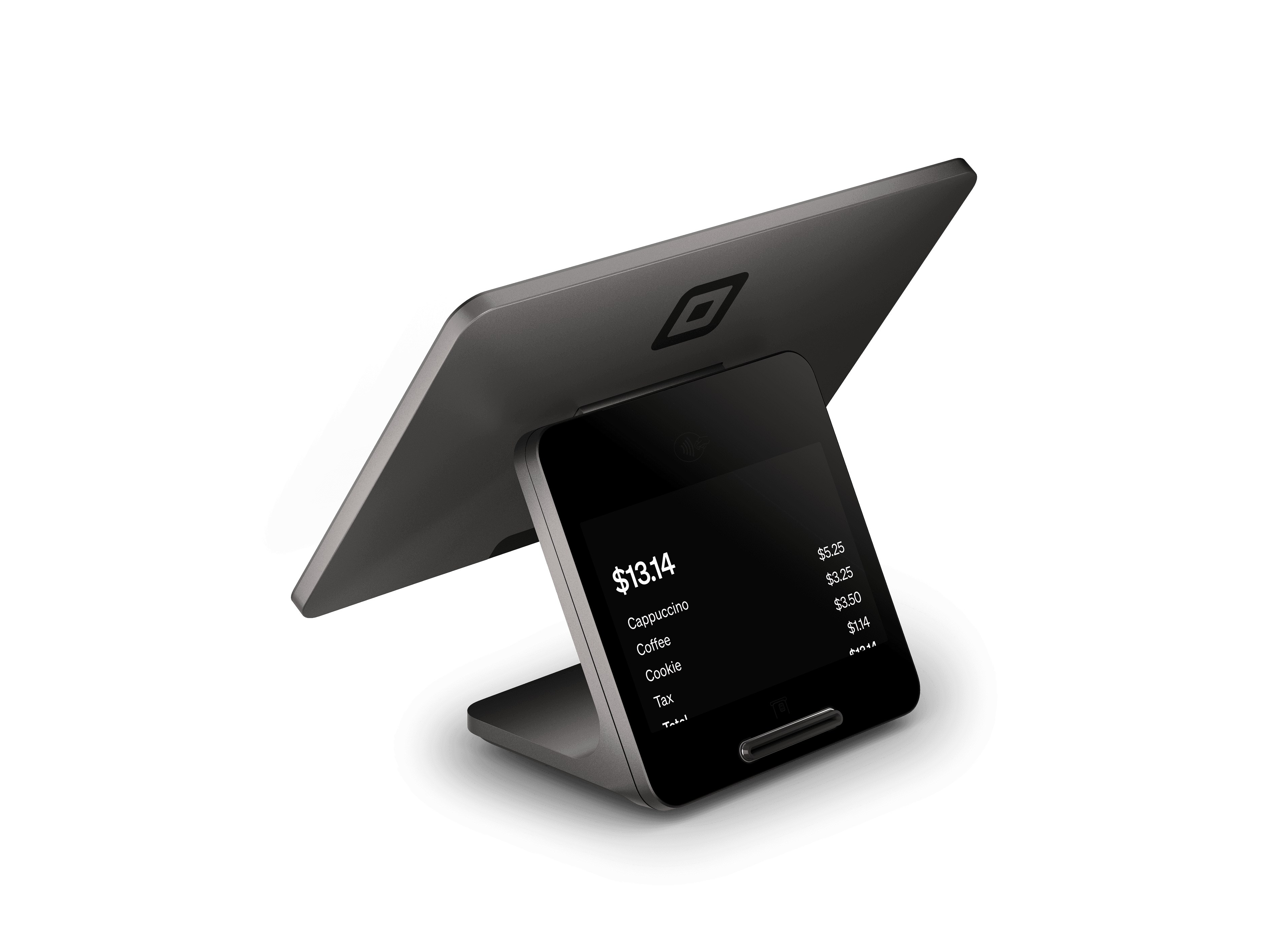
Square Register
A complete countertop POS with separate seller and customer displays.- Seller touchscreen for checkout and business tools
- Customer-facing display for payments
- Built-in chip and contactless acceptance
- Connects supported scanners, receipt printers and cash drawers
What you’ll need
No separate tablet is needed. Connect to Wi-Fi or Ethernet and choose accessories for your checkout workflow.Buy directly from Square. See current pricing and full specifications on Square’s site.
A dedicated counter station with two screens
Square Register creates a checkout station with a seller screen and a separate customer-facing display. Staff can build the order while the customer follows the payment interaction on their own screen. Roots plans that arrangement around your counter, item library and employee roles. It is worth reviewing for retailers, food-service counters and reception desks where checkout has a permanent location.Start with the full customer journey: where the line forms, how an order is entered, where payment happens and where the customer collects a receipt, purchase or pickup order.Organize the screen around frequent sales
The most useful register configuration begins with a clean menu or catalog. Put frequently used items and categories where staff expect them, and make product variations or order modifiers easy to distinguish. Roots reviews your current data, configures the agreed item structure and tests the sales that represent a normal day.Include exceptions in the design. Staff should know how to correct an item, apply an approved discount and request help for a refund. Those decisions connect the item layout to the employee permissions and reduce guesswork at the counter.Plan the complete countertop equipment setup
Register does not require a separate tablet. Square lists compatible scanners, printers and cash drawers for a more complete checkout station. Select accessories according to how you handle products, cash and paper receipts. Roots reviews the exact device models, network connection and counter layout before configuration.A tidy installation includes space for the customer display, safe cable routing and accessible receipt supplies. Assign names to the devices and printers so staff can identify the right station. For several counters or locations, document which equipment belongs to each one.Prepare for training, reporting and daily handoff
Bring the number of checkout stations, your menu or catalog, staff roles and current system exports to the free consultation. Roots uses these details to scope setup, training and support. Your quote can include the configuration work needed for the stations and the team who will use them.A practical training session follows the whole shift: opening the station, taking typical sales, correcting mistakes, handling refunds and reviewing daily totals. Managers should also understand permissions and the process for updating items. Agree on who maintains the catalog after launch so later changes follow the same structure.Compare a fixed register with portable checkout
Register provides a permanent dual-screen payment point. Square Handheld brings order entry and payments to the employee, while Terminal offers compact checkout with an integrated receipt printer. A retailer might need both a front counter and a sales-floor device; a restaurant might need a counter plus tableside ordering. Roots helps map those roles before recommending equipment.Purchase Register and its accessories from Square. Check the exact generation, current specifications and pricing on its official page. Roots setup services are quoted for your business, and the first consultation and payment review are free.Square Register questions
A complete countertop POS with separate seller and customer displays.
No separate tablet is needed. Connect to Wi-Fi or Ethernet and choose accessories for your checkout workflow.
No. Square Register is a dedicated POS with seller and customer displays; a separate tablet is not required.
Yes. Square lists supported accessories for Register. Roots reviews the equipment models and checkout workflow before configuration.
Purchase directly from Square using the View & buy at Square link. Square’s page has current pricing, specifications and the available accessories.
Yes. Roots recommends devices, configures your setup and trains your team. Your consultation is free; request a quote for setup services.