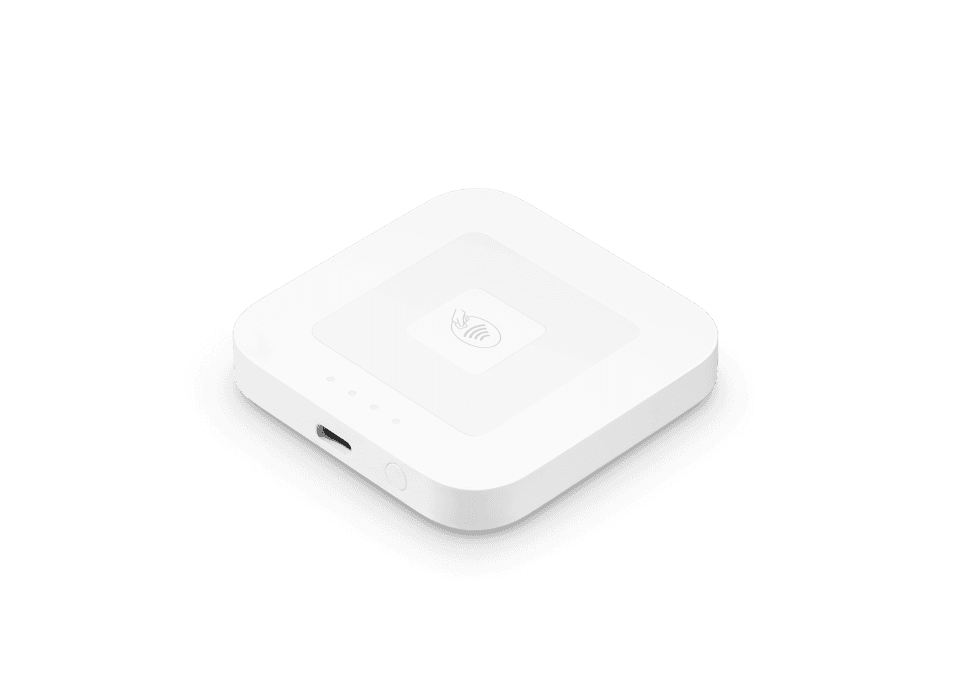
Square Reader for contactless and chip
A compact wireless reader for chip cards, contactless cards and digital wallets.- EMV chip card acceptance
- Contactless cards, Apple Pay and Google Pay
- Wireless connection to a compatible phone or tablet
- Rechargeable battery for counter or mobile payments
What you’ll need
Requires a compatible phone or tablet running a supported Square POS app.Buy directly from Square. See current pricing and full specifications on Square’s site.
Add chip and contactless payments to a mobile device
Square Reader for contactless and chip works with a compatible phone or tablet running a supported Square POS app. It is an option for a compact counter setup or a business taking payments away from a fixed desk. Roots reviews the mobile device, item library and checkout tasks together so the reader fits the way you sell.Think about the two parts of the interaction: the employee builds the sale on the phone or tablet, and the customer uses the reader to pay. Place both devices where that handoff feels clear.Prepare the phone or tablet as part of the POS
Record the model and operating system of the mobile device you intend to use, then check Square’s current compatibility information. Decide who manages the device, keeps the software current and controls account access. Roots can help configure the app, item structure and employee permissions for the selected setup.If staff share a device, create a consistent opening and closing routine. Keep business access organized and ensure employees know which location or station they are using. These simple practices become especially useful when a reader moves between a counter and an event.Plan connectivity, charging and transport
Reader connects wirelessly to the mobile device, and connected checkout requires internet access through that device. Review the Wi-Fi or mobile-data arrangement where you will actually sell. Roots includes connectivity and charging in the setup discussion so the payment point is prepared for its intended location.For mobile work, plan how the reader, phone and charging supplies travel together. For a fixed counter, review a dock or other supported accessories. Assign a place for the equipment between shifts and train staff to check device readiness before customers arrive.Train staff on the complete checkout
Bring your product or service list and records of typical transactions to the free consultation. Roots scopes the POS configuration, reader setup and training around those cases. A single-item sale, a sale with several products and a refund help the team practice the normal workflow and the cases that need a supervisor.Agree on receipt options, tax settings, discounts and employee access before launch. If you take payments at more than one location, include each selling environment in the device plan. Request a quote for setup and ongoing support; consultations and payment reviews are free.Reader or a device with an integrated screen?
Reader uses the screen of your compatible phone or tablet. Handheld combines the POS screen and payment acceptance in one portable device, while Terminal adds an integrated receipt printer. Stand provides an iPad-based counter arrangement. Compare the number of pieces staff need to carry and the way customers receive receipts before choosing.Buy hardware directly from Square. The official Reader page has current specifications, compatibility references and accessory options. Roots can help assess your existing mobile devices and recommend equipment for the checkout workflow you want to create.Square Reader for contactless and chip questions
A compact wireless reader for chip cards, contactless cards and digital wallets.
Requires a compatible phone or tablet running a supported Square POS app.
Yes. Square Reader for contactless and chip accepts chip cards, contactless cards, Apple Pay and Google Pay.
Yes. It connects to a compatible phone or tablet using a supported Square POS app. Review Square’s device compatibility information before ordering.
Purchase directly from Square using the View & buy at Square link. Square’s page has current pricing, specifications and the available accessories.
Yes. Roots recommends devices, configures your setup and trains your team. Your consultation is free; request a quote for setup services.