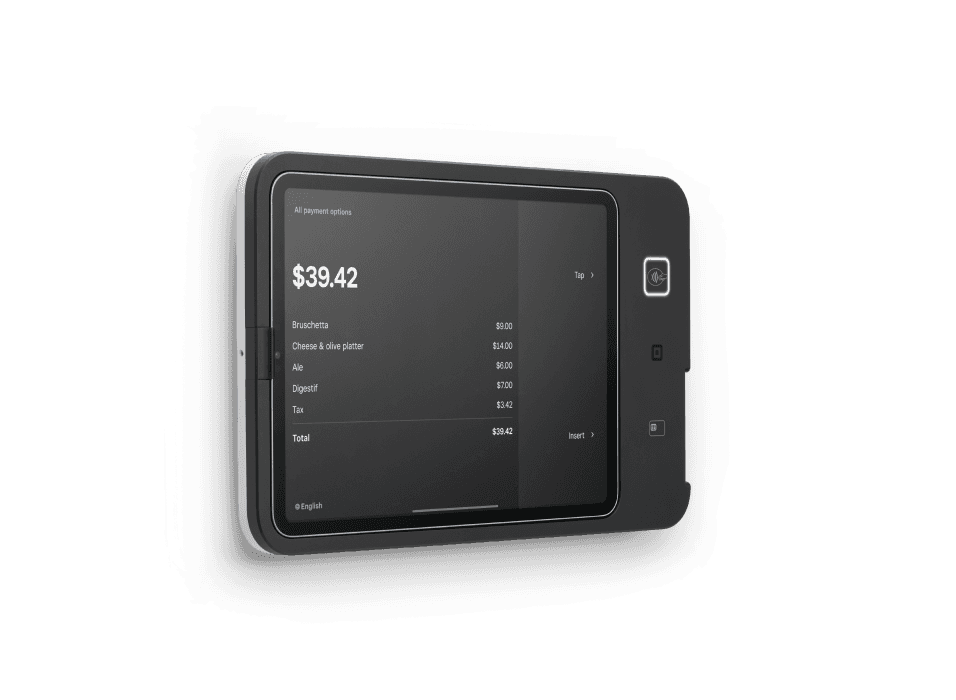
Square Kiosk
Self-service ordering hardware that lets customers select their order and pay at an iPad station.- Built-in chip and contactless acceptance
- Pairs with the Square Kiosk app and your primary Square POS
- Countertop, wall and VESA mounting options
- Menu updates and sales reporting connected to your Square setup
What you’ll need
Requires a compatible iPad, sold separately, and a Square Kiosk app subscription on Square Plus or Premium. Some mounting accessories are sold separately.Buy directly from Square. See current pricing and full specifications on Square’s site.
Design a self-service ordering station around the guest
Square Kiosk can provide a station where guests choose their items and complete payment themselves. The useful starting point is the order journey, not the mounting hardware. Decide which items belong on the self-service menu, how customers choose modifiers and where they collect the finished order. Roots configures that journey and the handoff to the rest of your Square operation.Walk through the space from the guest’s perspective. The station should be easy to find, and the instructions for pickup should match the way your team actually serves orders.Plan the kiosk, primary POS and preparation flow
A self-ordering setup needs a compatible iPad and a primary Square POS to receive the orders. The Square Kiosk app has its own subscription requirements on Square Plus or Premium. Include that software arrangement in the project plan alongside the hardware. Roots reviews the order destination and the counter or kitchen workflow before configuration.Use representative orders to check the process: a simple item, an item with several modifiers and an order that includes more than one preparation station. Staff should know who watches incoming orders and how pickup is communicated to the guest.Turn your menu into a clear customer interface
A menu that works for a trained cashier may need a different presentation for a first-time guest. Roots reviews item names, categories and modifier instructions with you. Keep choices understandable and make the order sequence reflect how people buy. Give your team a process for updating the kiosk when an item, price or preparation option changes.Practice the handoff between the self-service station and employee-assisted ordering. Customers who need help should receive a consistent answer, and the staff menu should use the same product names as the kiosk.Choose mounting and placement before installation
Square Kiosk supports countertop, wall and VESA mounting arrangements. Plan its position with the queue, power connection and pickup area in mind, then review the exact mount and iPad model before ordering. Roots includes the device position and network setup in the configuration discussion.Assign responsibility for opening the station, checking that orders arrive and keeping the screen ready for guests. Training should include the customer flow as well as the staff receiving workflow. Request a quote for the setup and training you need; the first consultation is free.Compare self-service with an employee-operated station
Choose kiosk ordering when customers should enter their own selections. Square Stand and Register are worth comparing for employee-operated counters, and Handheld for staff taking orders beside the guest. Some businesses use several formats for different parts of service. Roots maps those roles and recommends a setup around your menu and floor plan.Buy the equipment directly from Square. Review current subscription requirements, iPad compatibility, mounting accessories and hardware pricing on the official page before purchasing. Your Roots quote covers the agreed configuration, staff training and support work.Square Kiosk questions
Self-service ordering hardware that lets customers select their order and pay at an iPad station.
Requires a compatible iPad, sold separately, and a Square Kiosk app subscription on Square Plus or Premium. Some mounting accessories are sold separately.
For self-service ordering, a primary Square POS receives kiosk orders. The kiosk also requires a compatible iPad and the Square Kiosk app subscription.
Yes. Square offers wall, countertop and VESA mounting arrangements. Check the selected mount and iPad requirements on Square’s product page.
Purchase directly from Square using the View & buy at Square link. Square’s page has current pricing, specifications and the available accessories.
Yes. Roots recommends devices, configures your setup and trains your team. Your consultation is free; request a quote for setup services.