
Square POS Setup, Training & Support
Opening a business, moving to Square, or outgrowing your current setup? Roots helps with the hardware, configuration, staff training, and custom integrations that turn Square into a working part of your business.Free 30-minute consultation. Review your setup, compare options and leave with clear next steps.Start with the way you sell.
A retail counter and a busy kitchen need different screens. Roots helps configure the item catalog, order flow and devices around your business.Square POS
Find products, build the cart and charge the customer from the counter.Square KDS
Give each preparation station readable tickets, modifiers and elapsed times.A sale records more than a payment.
See the cart, stock and sales records together. Roots helps organize your items and test the handoff so your team can follow what changed.Checkout
Inventory
Sales summary
Square Inventory
Check remaining quantities and prices against the products you sell.| Item | Stock | Price |
|---|---|---|
| Linen tote | 18 in stock | $38.00 |
| Ceramic mug | 27 in stock | $24.00 |
| Beeswax candle | 36 in stock | $18.00 |
Square reporting
Compare item sales in a chart and read the same amounts in the sales table.| Activity | Details | Amount |
|---|---|---|
| Linen tote | 2 sold | $76.00 |
| Ceramic mug | 1 sold | $24.00 |
| Beeswax candle | 1 sold | $18.00 |
Give the day a clear schedule.
For service businesses, bookings and staffing belong in the same conversation. Roots helps organize your services, calendars and team access.Square Appointments
See who is booked, which service is scheduled and how much time it needs.Square Staff
Review team hours and approval status alongside your operating schedule.| Team member | Hours | Status |
|---|---|---|
| Ava | 32.0 hours | Approved |
| Jordan | 34.0 hours | Approved |
| Priya | 36.0 hours | Approved |
Get paid beyond the counter.
An invoice for a completed job and a checkout link for a class need different customer experiences. Roots helps set up the right route for each.Square Invoices
Send the customer an itemized bill with a due date and payment options.Square Payment Links
Let customers pay from their phone without visiting your counter.Make the next visit easier.
Offer a straightforward online order and a reward customers can understand. Roots helps organize fulfillment choices and earning rules.Square Online
Keep pickup choices and items clear when a customer orders from your website.Square Loyalty
Show the customer's points and the reward they are working toward.Keep your current tools in the picture.
Start with the records your business needs to move. Roots reviews existing apps, maps fields and scopes custom development when the available connections do not cover the workflow.Accounting
Customer tools
Online catalog
Prepare the setup and the people using it.
The last step is a tested workflow and a team that knows what to do. Hardware, training and ongoing support are part of the implementation conversation.Put opening-day details on the checklist.
- Test a sale, refund and receipt on your selected devices
- Walk staff through the daily tasks they will perform
- Agree who handles questions after the setup is live
- ✓Catalog and tax settings reviewedComplete
- ✓Counter device and printer pairedComplete
- ✓Sale, refund and receipt testedComplete
- Staff practice sessionIn progress
- Support handoff agreedScheduled
Square Cash Discount
Explore the Square 4% signup option through Roots, with a cash-discount setup designed to eliminate eligible card-processing costs.- Clear cash and card pricingDisplay the card price and offer customers a discount when they pay cash. Explain the prices clearly before checkout.
- Configured in SquareCreate the cash discount in Square Dashboard and train your team to apply it to cash sales.
- Setup help from RootsRoots helps review your pricing, prepare customer notices and configure the checkout workflow. Consultations are free; setup work is quoted.
4% Square option
Use the dedicated Square signup link for this offer. Review your enrollment terms with Square. Hardware, software and any Roots setup services are priced separately.Start where your business is today
- 1
Walk us through how you sell
New setup, existing Square account, multiple locations, or a custom request: we begin with your actual workflow. - 2
Get a clear implementation plan
Review Square product fit alongside Roots service scope, costs, hardware, and any integration work. - 3
Launch with a prepared team
Configure the setup, test the workflow, train your staff, and agree on ongoing support.
Already using Square? Start here too.
- Clean up a menu, catalog, or location structure
- Configure new hardware or a new location
- Connect accounting, ordering, and business tools
- Train new staff and improve daily workflows
- Scope the custom feature your business needs
Build a setup your team can follow.
The tools are one part of the decision. Put the customer journey, staff routine, station plan and business records into the same setup conversation.Start with the customer standing in front of you.
A shopper brings an item to the counter. A diner changes an order. A client books a service. Each journey asks something different of your setup. Roots starts with the transaction your team performs most often, then chooses the Square tools around it.
Prepare the details that make that journey work: product variants and stock for a store, menu modifiers and kitchen routing for a restaurant, or service durations and staff availability for appointments. Include online orders and invoices wherever customers need them.
At the counter
Linen tote · $38.00- 1Find the item and variant
- 2Take payment and send the receipt
- 3Update the quantity available
In the dining room
Table 12 · 2 fish tacos- 1Capture the order and modifiers
- 2Send the ticket to the kitchen
- 3Close the check at the table
In a booked service
Ava · Color & cut · 9–11 AM- 1Choose the service and available time
- 2Put the booking on the staff calendar
- 3Take payment after the appointment
Rehearse the day, including the part that changes.
Opening the station is only the beginning. Staff need to sell, find a payment, correct an order and close the shift. Roots plans employee access, manager approvals, receipt delivery and the report your team uses to match the day’s activity.
Follow one sale through a return. The original payment, refunded item, tax adjustment and remaining collected amount should tell the same story. Practice a changed order and a device interruption too, so staff know who can act and what to check before trying again.
Follow order #1084 through the day.
Marlow Goods · One sale, one return, one traceable record- 08:00Check the catalog, sign in with the agreed permissions and test receipt delivery.
Open the station
Employee - 10:142 totes, 1 mug and 1 candle. Item sales $118.00 + tax $8.26 = $126.26 collected.
Complete order #1084
Employee - 14:20Find the original order. Refund $18.00 + $1.26 tax and return 1 candle to stock.
Return the candle
Manager approval - 18:00Confirm the sale, refund and tax adjustment in the closing report.
Match the records
Shift lead
The totals tell the same story.
Order #1084 · Closing reconciliationGive every device a job and a place.
A fixed checkout, a moving employee and a customer ordering for themselves need different stations. Roots helps plan the positions, devices and accessories around those jobs. Check power, connectivity, printer placement and the person using each station before selecting equipment.
You purchase the hardware directly from Square. Use its official product pages for current prices, compatibility and subscription requirements. Roots scopes the configuration, test transactions and staff training around the station plan, so each device has a clear purpose when it arrives.
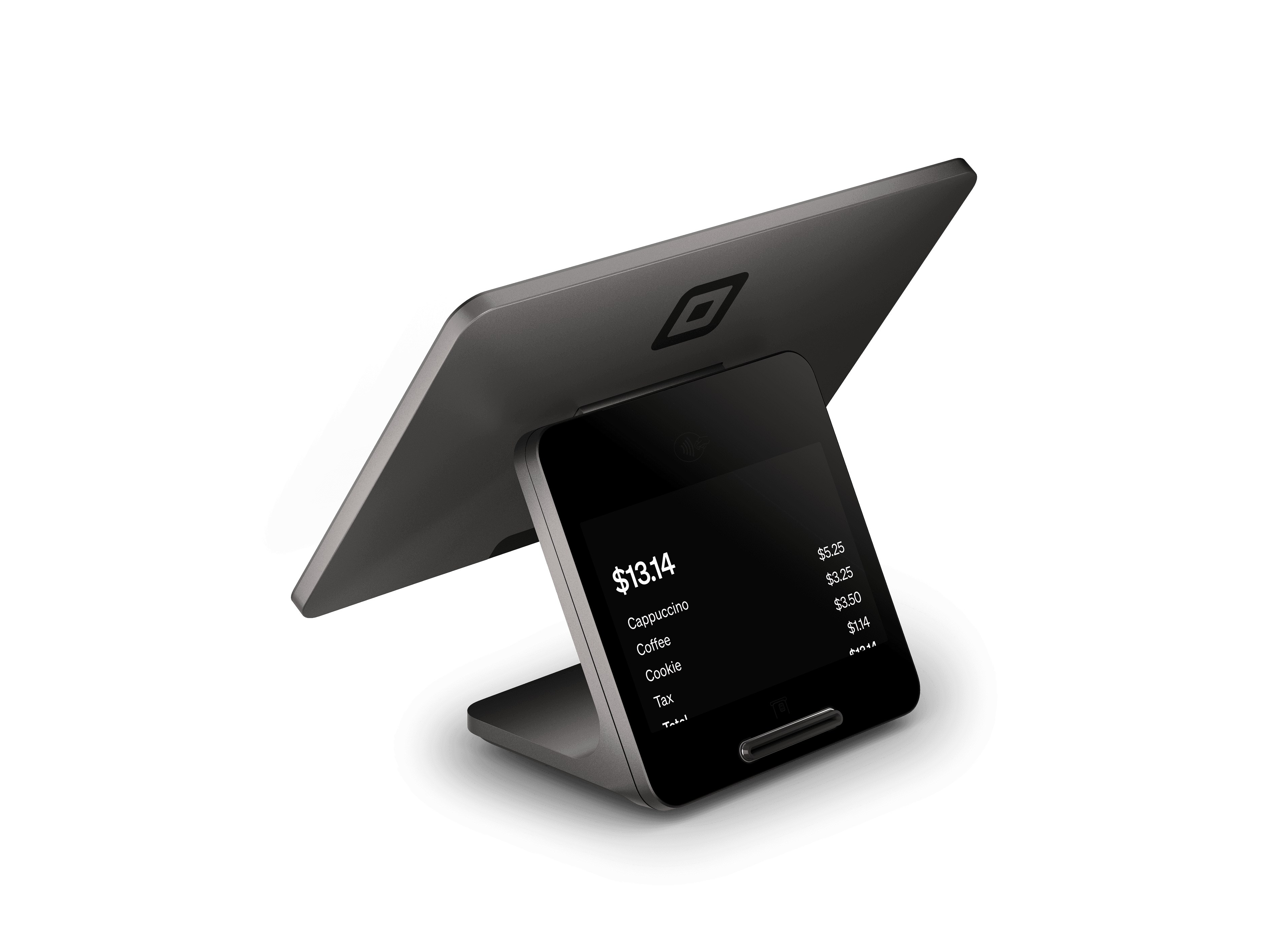
Fixed checkout
Square RegisterStaff builds the cart; the customer pays on the facing display.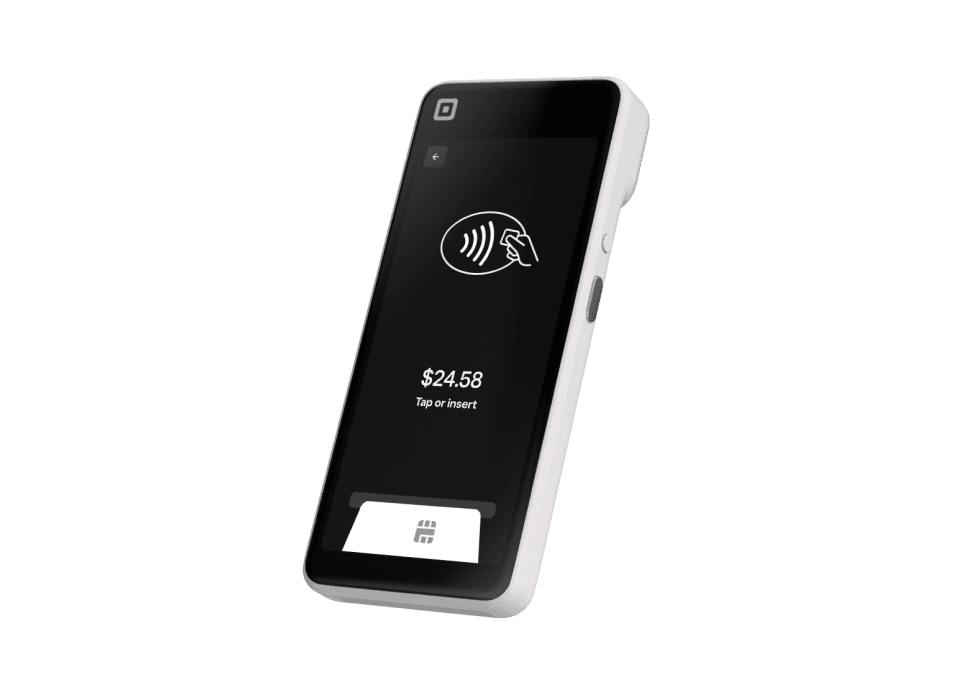
Moving with staff
Square HandheldTake an order or payment where the customer is being served.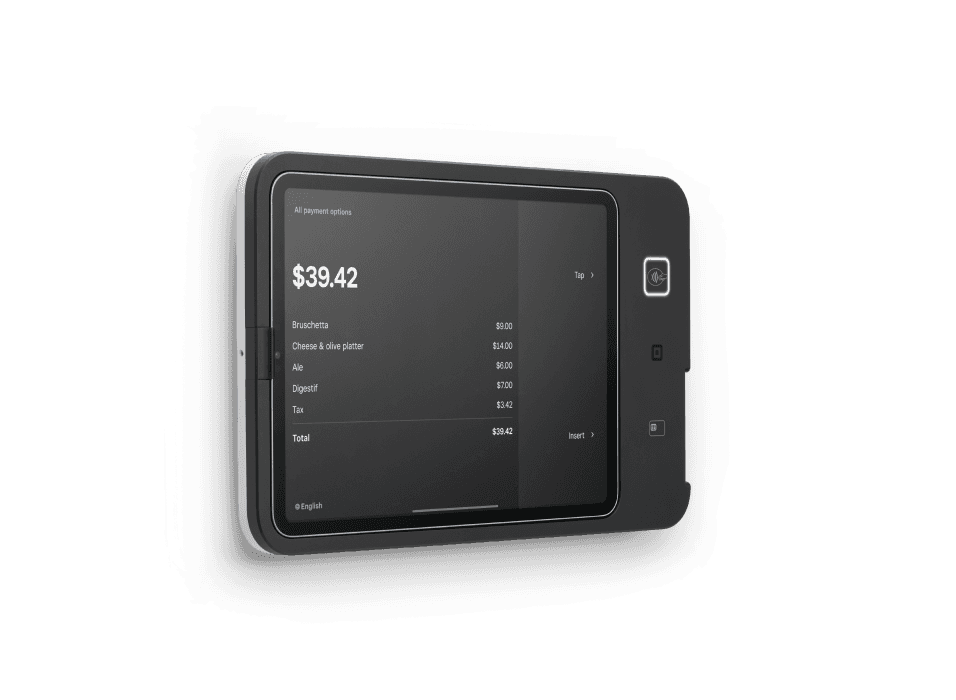
Customer ordering
Square KioskGive customers a dedicated place to choose an order and pay.Make the handoff as clear as the checkout.
When another system needs the sale, decide which record moves and where changes belong. Roots maps order references, customer fields, inventory and payment status with your team. Agree the system responsible for each record before connecting apps or scoping custom development.
Test an ordinary sale, an edited record and a failed sync. The setup quote should identify those checks, the people responsible and the support handoff. Bring your current tools and a difficult transaction to a free consultation; we’ll use them to plan the work.
Agree who owns each record.
Use this record map to define the handoff with your team before connecting systems.- Order #1084
- Square order → AccountingMatch the $100.00 item sales and $7.00 tax after the return.
- Candle · 1 returned
- Catalog → InventoryAgree which system owns stock and verify the returned quantity.
- Sam Rivera
- Customer directory → Customer toolsChoose the permitted fields and review consent requirements.
- Refund · $19.26
- Payment record → FinanceKeep the original order reference and avoid counting the refund twice.
Test the ordinary sale
Test an edited record
Test a failed sync
Bring the transaction you want to improve.
Bring your current tools, the staff task that causes friction and the record you need afterward. We’ll review the product choices and scope the setup together.Plan my Square setupChoose the help you need
Square’s hardware, presented clearly.
Choose the device for how you sell. Square supplies the products; Roots helps you assess fit, configure your setup and train your team.Square Handheld
A pocketable POS for taking orders, accepting payments and managing inventory away from the counter.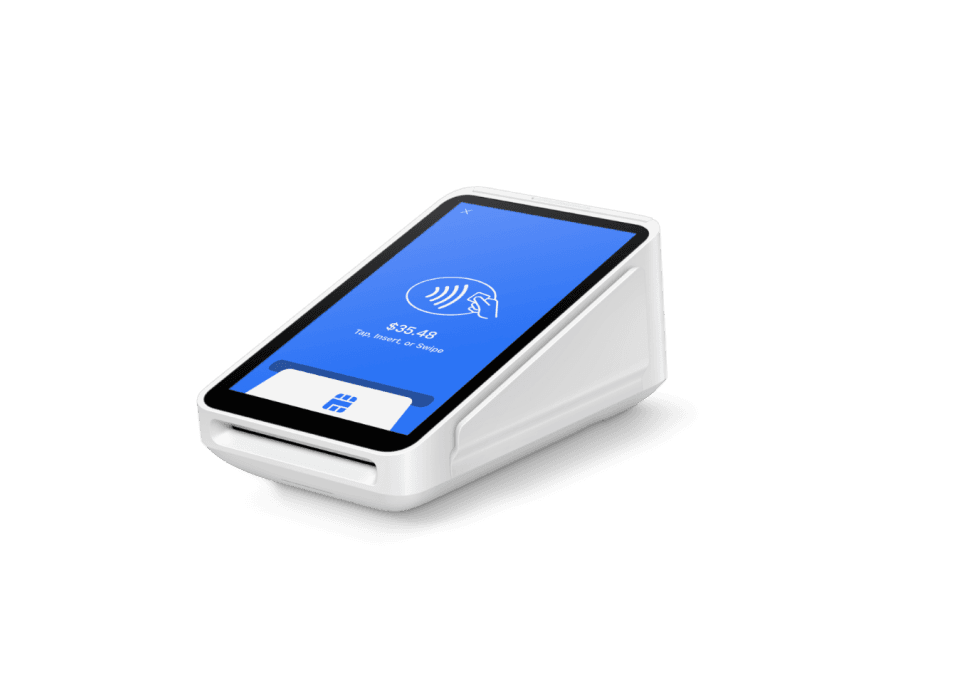
Square Terminal
A compact payment device with a built-in receipt printer for countertop or portable checkout.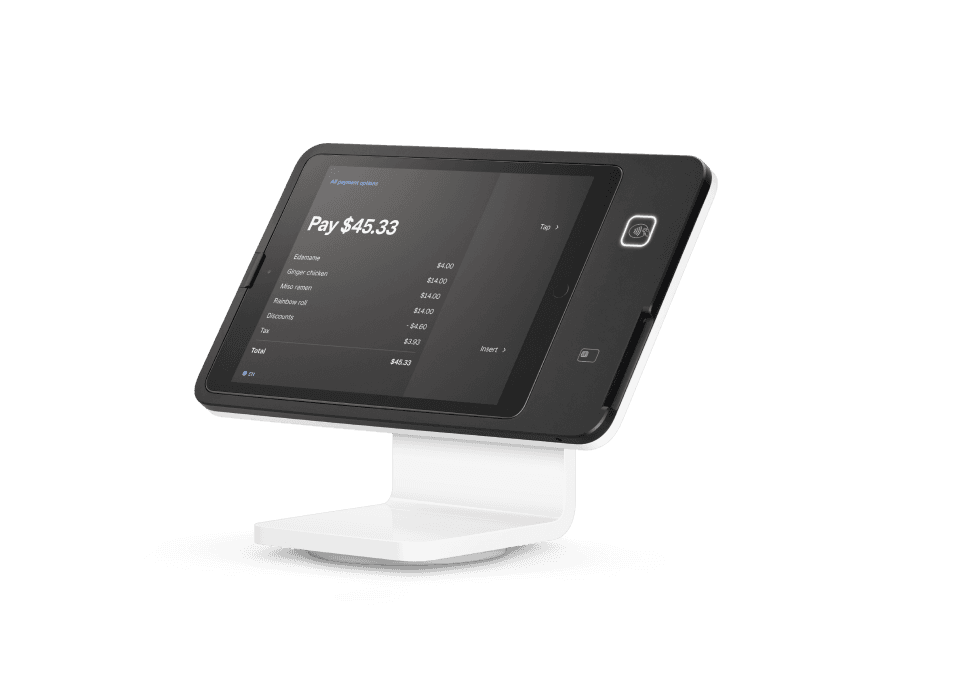
Square Stand
A swiveling iPad POS with payment acceptance built into the stand.Square Register
A complete countertop POS with separate seller and customer displays.Square Kiosk
Self-service ordering hardware that lets customers select their order and pay at an iPad station.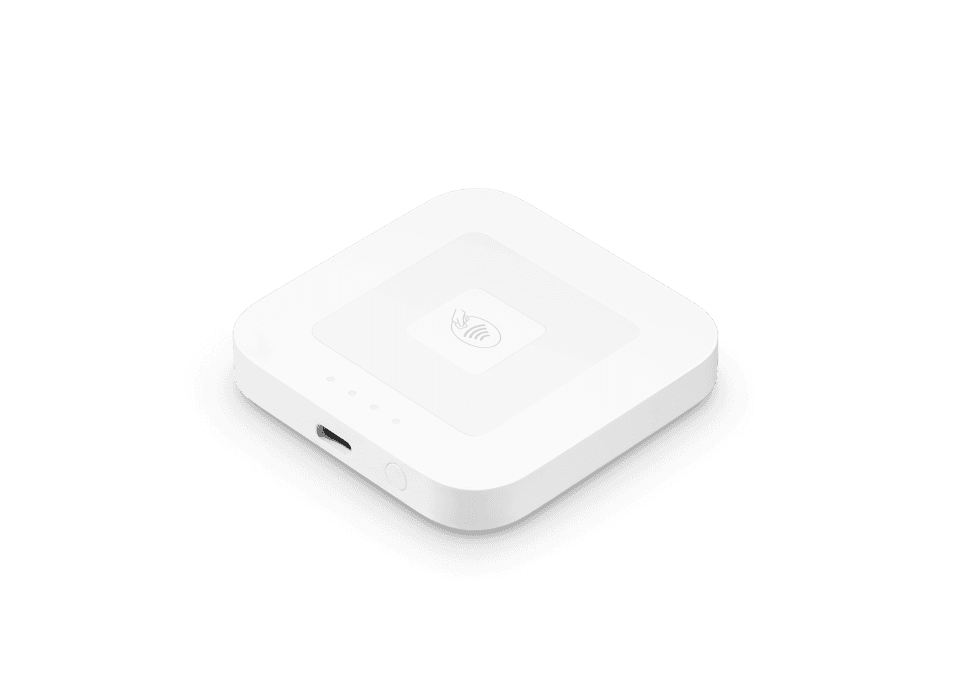
Square Reader for contactless and chip
A compact wireless reader for chip cards, contactless cards and digital wallets.Square Register shown; see Square for bundle contents.Square Register Retail Kit
A Square Register hardware bundle for retail checkout and label printing.Software for the way you work
- Square Point of SalePayments and business tools for your daily operation. Roots helps configure your catalog and workflows.
- RestaurantsRestaurant setup, menus and ordering workflows.
- RetailProduct catalogs, inventory and checkout setup.
- AppointmentsBooking and payment workflows for service businesses.
- Square OnlineOnline storefront and checkout connected to your Square setup.
- Square InvoicesCreate invoices and collect payments for project and service work.
- Square Payment LinksShare a checkout link without building a complete online store.
Choose your next step with Square
Book Roots setup guidance, sign up directly with Square, or explore the dedicated 4% cash-discount signup option.Roots Payments is an independent Square Reseller. High-risk businesses follow a separate specialized processing path.Square products with Roots setup and support
Payment acceptance
- Square LoyaltyPoints and rewards tied to Square checkout.
- Square MarketingEmail and text campaigns from Square customer data.
- Square Gift CardsPhysical and digital gift cards on Square.
- Square Tap to PayContactless payments on iPhone/Android with Square.
- EBT/SNAP on SquareIn-person SNAP EBT acceptance on Square (beta).
Business tools
- Square Point of SaleSquare POS mode, catalog, taxes, tips and permissions set up by Roots.
- Square for RestaurantsSquare's food & beverage POS: menus, courses, tables, tips.
- Square for RetailSquare's retail POS: catalog, variants, barcodes, stock.
- Square AppointmentsOnline booking, calendars, deposits and no-show fees on Square.
- Square Online OrderingPickup and delivery ordering setup for restaurants.
Online payments
Specialized processing & payouts
Getting Square through Roots
Related resources
Square vs Clover: fees, plans and which fits your business
Square vs Clover compared with dated, sourced pricing: card rates, monthly software, hardware and contract terms, plus when each one fits.
Shopify POS vs Square for retail
Shopify POS vs Square compared with dated, sourced pricing: in-person and online rates, monthly plans, and which fits in-person versus ecommerce-first retail.
Square vs Toast for restaurants
Square vs Toast for restaurants, with dated, sourced pricing: processing, monthly software, hardware and contracts, and which fits your concept.
Square alternatives: POS systems and payment options
Compare Square alternatives by eligibility, POS workflow, terms and payment needs. Decide whether you need a POS replacement or an additional service.