Shopify POS vs Square for retail
Both platforms support in-person and online selling. Shopify POS can keep a store within an existing Shopify operation; Square offers retail and online tools within its own platform. Start with where your catalog, orders and customer records live, then test the workflows you need.
Disclosure: Roots Payments is an independent Square Reseller. We earn revenue when businesses choose Square through us. This comparison is prepared by Roots Payments using the published sources linked below.
Square or Shopify POS? Start here.
Start with your existing catalog and order operation. Compare Square retail workflows with Shopify’s included POS features and any required Pro locations, rather than choosing solely by where sales happen.
Consider Square when
Your store operations are centered on in-person sales
The retail features you need are included in an affordable Square plan
You also need restaurant, service or appointment tools
Consider Shopify POS when
You’re an ecommerce-first brand adding a store
Shopify’s online-store workflows or apps are essential to your operation
Your catalog and operations already live in Shopify
See the software
Stock counting
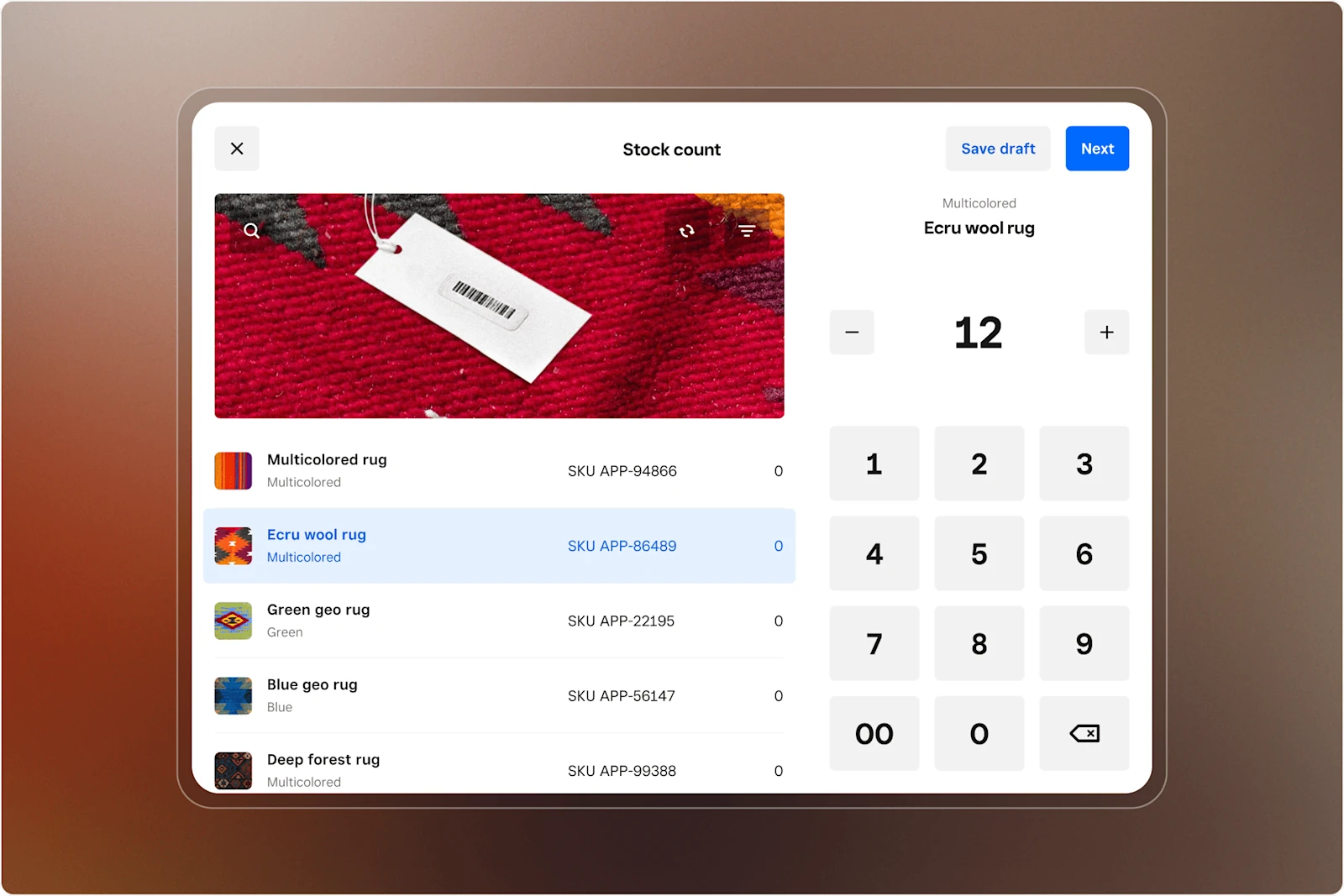
Stock count screen with product list, quantities and a numeric keypad.
Source: Square · Enlarge screenshotTablet and mobile checkout
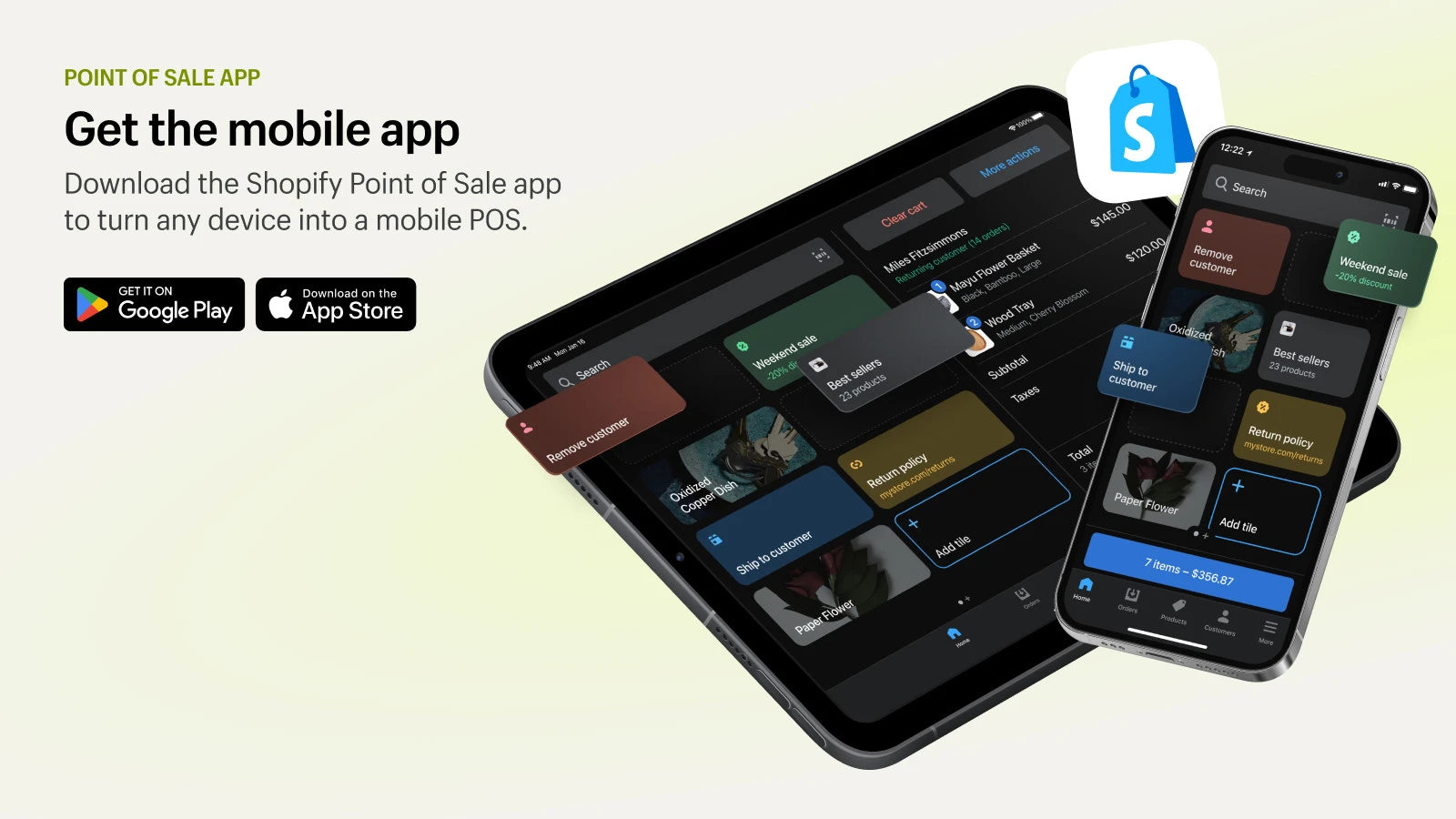
Vendor app preview showing the product grid, customer shortcuts and cart.
Source: Shopify POS · Enlarge screenshotFeatures and day-to-day operations
Compare the capabilities in the proposed plan. Some features require an upgrade, a separate app or compatible hardware.
Catalog and inventory
Retail tools include catalog import, stock tracking, purchase orders and barcode labels; confirm plan requirements.
POS Pro adds retail inventory tools including purchase orders, counts and low-stock alerts.
Online and store operations
Square documents connected in-store sales, online orders and inventory.
Shopify combines online selling with POS; Pro adds omnichannel retail workflows.
Returns and customer records
Retail checkout includes refund and exchange tools; verify your cross-location requirements.
Included POS features cover basic profiles and original-location returns; Pro adds richer profiles and cross-location returns.
Staff and locations
Software fees depend on the selected plan and number of locations.
A base Shopify plan and optional per-location Pro subscriptions determine the feature set.
Pricing: what goes into the bill
Compare processing, software and equipment together. Published rates below are separate from hardware, implementation and any negotiated offer.
In-person card rate
Free: 2.6% + 15¢ Plus: 2.5% + 15¢ Premium: 2.4% + 15¢
Basic: from 2.6% + 10¢ Grow: from 2.5% + 10¢ Advanced: from 2.4% + 10¢
How to compare the total cost
Shopify base plans shown use monthly billing; rates are starting rates. POS Pro is optional and adds $89/mo. per selected location, billed yearly. Annual base-plan billing is discounted. Square online rates here refer to standard checkout or invoices, not API payments.
Processing charges + location subscriptions + device software + recurring apps + equipment payments.
Keep one-time hardware, setup and migration costs alongside that total. Use the same sales volume and transaction count for each offer, with in-person and online payments calculated separately.
A percentage rate alone leaves out the fixed fee on each transaction. Software can also change the result: count every location, required add-on and device subscription before deciding which offer costs less.
Plans, agreements and platform fit
Understand what you are buying, who supplies it and what happens when you change your setup.
For retail, decide where the catalog will live
If your online store already runs on Shopify, adding POS keeps the comparison focused on the features each location needs and whether POS Pro is worth its extra subscription. Include any app fees in that decision.
If you are considering Square, map the catalog, inventory and online-order flows before moving. The important question is how staff receive stock, fulfill pickup orders and handle returns across your stores. A lower subscription alone may not justify rebuilding those operations.
Define which system owns products, variants, stock and customer records.
List the locations that need Pro features rather than assuming every store does.
Include migration work and recurring apps alongside the base subscription.
What to request in the written quote
Ask each provider to itemize the same requirements. These are the details that turn an advertised package into an offer you can compare.
- 01
Base subscription billing cycle and number of locations
- 02
Which stores need POS Pro or additional retail features
- 03
Starting processing rates and your payment-method mix
- 04
Hardware compatibility, required apps and recurring app fees
- 05
Catalog import, integrations, gift-card handling and cutover scope
Plan the switch before cancelling anything
- 1.Data and catalog
Confirm what can be exported and imported. Map products, menu modifiers, customer records and gift cards; identify anything that must be rebuilt.
- 2.Hardware and integrations
Inventory terminals, printers and connected software. Get compatibility and recurring app requirements in writing before ordering replacements.
- 3.Staff and cutover
Schedule configuration, training and a cutover window. Check the current software, processing and equipment agreements before ending service.
Our recommendation
If Shopify already runs your catalog and online orders, start by pricing the POS features your stores actually need. If you are building around in-person retail, compare that offer with Square’s retail tools and online channels. Choose the system that makes stock, fulfillment and returns manageable without adding avoidable migration work or app costs.
See how we set up Square for retailSources and review notes
This guide uses U.S. provider documentation. Published prices and features can change; use the plan and written agreement offered to your business when making a decision.
Shopify POS is a trademark of its owner. Its appearance here does not imply affiliation or endorsement.
Related products and services

Square setup for merchants
Explore Square setup, hardware and implementation services.
Square Point of Sale
Find a point-of-sale setup around your checkout and daily operations.

Square for Retail
Connect retail checkout, inventory and reporting.

Square Integrations
Connect the tools your business uses with Square.
Related POS guides
Get help comparing your offers
Bring your processing statement, software bill and written quote. We can review the costs and scope a Square setup around your business.